Tuesday, 21 June 2011

Final Cut Pro X released!


One of the most discussed, slammed, hotly debated, praised but still, most eagerly awaited version of Apple Final Cut Pro, or FCP, was released just a few hours ago. About 6 pm out time. Larry Jordan's newsletter said 5.30 am. I take that to be PST.
Some important differences from the past...
FCP X will be available as an online purchase on the App Store for $ 299
Motion is $ 49, and Compressor is $ 49.
There is no mention of Color, DVD Studio Pro, or Soundtrack Pro. But from reading the specs it appears that some features of all these are rolled into FCP. I can't say for certain which features are in and which are out till I use FCP X. 
There is also no mention of Cinema Tools, or of 24fps editing (24@25) in PAL. So, maybe this feature along with Keycode support for film editing has been dropped.
There is no capture from tape except DV, DVCam, DVCPro over Firewire, and that to only capture now. So if tape is still in your life you need to use Aja's VTR XChange tool or Blackmagic Media Express, both of which are rather capable compared to Apple's Log and Capture tool.

There is no export to EDL, no OMF, no XML. But Apple is likely to get the XML export sorted out.

So, should you or should you not get FCP X?
If you're in the middle of a project on FCP 6 or 7, no. If you don't want to learn a whole new interface, then also no. If your work needs capture form tape or output to tape, then too, no.

If you are editing a feature film shot on 16mm or 35mm, and need EDLs, can cut lists, then forget about FCP X. Not now, probably not ever. You're stuck to FCP 7 for an indefinite period, or till you don't need cut lists or EDLs, whichever comes sooner.

But, if you work with stuff shot on Canon 5D/7D, XDCamEx, AVCHD, AVC Intra, P2 and some other formats, then FCP X offers a vastly simpler workflow than FCP 6 or 7. Direct working with these formats. Background proxy generation, no rendering needed etc etc.

I'm about to take the leap and get FCP X as soon as I can download the GBs needed. I will report as soon as I have more info. Until then, keep checking this space.

More info on FCP X
The original press release is here...
The complete list of features is here...
Philip Hodgetts has an excellent list of fundas 
here...
For any queries please write me at 
neil (at) sadwelkar (dot) com
Replace (at) and (dot) with you know what. And please, no spaces.

Saturday, 28 May 2011

Struggling with digital movie-making


For the past few months I've been working on setting up and executing a simple and efficient workflow for the post of a delightful little movie called 'Stanley ka Dabba'. This movie was shot entirely on a Canon 7D DSLR camera. I've posted many a post of still cameras that shoot videos right here... 

The Canon 7D DSLR camera shoots beautiful and natural stills. And the same sensor shoots HD video. These are saved on CF cards. As Quicktime movies encoded H.264 with PCM audio.


But there are two major problems. One is, the Canon 7D shoots 23.976 fps, not true 24 fps that film in theaters runs at. And the other is that the files have no timecode (TC in short) or reel/source associated with them. HD movie files out of a Canon are called MVI_xxxx where xxxx is a number serially added by the camera.

So what happens is that after one finishes the edit, and needs to send it for further post, like colour correction, VFX etc, there is no EDL based route to sending the edit data onward.

For 'Stanley ka Dabba', I had devised a workflow where I converted the files from 23.98 to 24fps without any frame loss or motion conversion. I then striped all the files with timecode with one following the next, sort of like they were captured off tape. And I assigned a reel name or source for all the files as per the folder they resided in. 

Deepa Bhatia, the editor and co-producer of 'Stanley ka Dabba' edited on an Avid Media Composer, I made ALE files for her assistants to import into a bin and then batch imported the original (striped with TC) files from the Canon. That way Avid also 'gets' the TC from the Canon files.

After Deepa's edit, the colour correction happened at Reliance MediaWorks. On the Baselight at Reliance, the Avid EDLs that Deepa made out, perfectly conformed the original Canon files and they were on their way to colour grading within minutes. There was no struggle whatsoever.

So what's with the title of this post? 'Struggling with digital movie-making'. Here's what...

On the same day as 'Stanley ka Dabba' was released, there was another movie released, a horror movie about text messages. This too was shot (partly or entirely) on a Canon DSLR. But they chose to do their post in a different way. They directly imported the Canon files into Avid Media Composer to edit them. No 24fps, no TC.

Long story short, that movie had to be re-assembled manually shot by shot, eye-matched on an Autodesk Smoke system. The post facility concerned, simply couldn't fathom a correct method for reproducing the original edit.

Similarly, there are other post houses which have yet another interesting workflow for Canon files. They advocate (or so I am told by clients who've been there) first transferring all the Canon 7D files to HDCam tape (eeks 3:1:1 colour sampling) or HDCamSR tape. 

In a period of nearly extinct and horrendously expensive HDCamSR tapes (after the Japan tsunami-earthquake), this isn't a rather bright suggestion.

I'm getting a bit snarky and sarcastic about all this because, as an editor it bothers me no end that people with no desire to find out new solutions, have such a say in the way post-production is (man)handled.

There are also other struggles and horror stories - with Alexa files, bad colour space conversions, loss of timecode, Red R3D file conversions that take days to get done, Weisscam files that just don't open and many such 'Adventures of a digital rebel'.

In my opinion 'Stanley ka Dabba showed that if one has a story with a heart, a positive attitude, and the ability to take a calculated risk in doing something for the first time, then there is a medium that's waiting to help you tell your story. There are challenges for sure, and shooting Canon is not exactly simple.

So just go to a theatre near you where 'Stanley' is showing, and take a look for yourself. Cinematographers and even DOPs (are they different?) will of course find issues with latitude, resolution, gamma, etc etc. 

But you know what. With some 'careful' lighting it is entirely possible to make even 35mm film look flat. And some 'adventurous' DI colour correction can easily make film look synthetic and 'inorganic' too.

About operations on the Canon 7D, not being able to pull focus or aperture, no optical viewfinder (for video), and other whines from movie film cinematographers. I got an interesting insight at a fashion show a few weeks ago at the Leela. 

At the head of the ramp during the show, there were photographers taking stills on their DSLRs. How do they focus, without a tape measure, with the artist walking toward them with no 'mark' to stop on, no rehearsal 'for movement'. And stills photographers have to take a frozen moment, so going out of focus is also out of the question. 
And with the light at fashion shows they are often shooting at wide apertures, so depth of field is shallow.

Bottom line. Digital 'movie-making' is on it way to replacing the term 'film-making'. These are early days, of course. Those who forge ahead are the positive ones with guts. The rest will whine and sigh and hang on to film with a naive hope that digital is a fad that will go away and one day we will all go back to film. 

As far as post production is concerned - editing, colour correction, sound editing and mixing - most of this is digital for a decade or more. Doing post on digital is no more complex than post for film - managing logs, key codes, cut lists, pull lists, making cement joints, Hamman joints, winding and rewinding film on a winder - I'm glad we got rid of all that.


Movieola, Steenbeck, Hamman splicer... digital is vastly simpler than working on these


Red One, Red MX, Epic, Alexa, Canon 5D/7D, AVCHD, XDCamEx, HDCamSR, Viper, D-21, Genesis, ArriRAW, Canon MPEG2 422, AVC-Intra, P2, XDCamHD, Varicam, DVCProHD, KiPro, Gemini, Hyperdeck, Nanoflash, GoPro... the list goes on...

There are a large number of resources and personal experiences for each of these. Forums, blogs, web zines are oozing with information. And simple common sense, along with some basic knowledge of how computers work and store data, also helps. For my part, I've worked hard to be ready for each and every one of these new digital formats. 

Store, Copy, Convert, Edit, colour grade, finish, backup, archive, re-purpose into new formats... the whole nine yards. 
So digital doesn't have to be struggle, unless you try hard, do the wrong things, or go to the wrong places.

Wednesday, 13 April 2011

Final Cut Pro X aka FCP 8

A few minutes ago, at the FCPUG Supermeet, Apple representatives unveiled the new Final Cut Pro, called Final Cut Pro X or FCP X. Details are still coming in as the event is still under way. But the highlights so far...

New interface, quite different
No rendering
All formats native
Enhancements for editing ease
Ease of use for sound
Peaks in timeline
Keyframing done differently
Will detect image volume - CU, MCU, MS, LS etc
Auto colour correction

Many more, will report as I study them

Will be available June 2011
At the App Store for US$ 299

Tuesday, 12 April 2011

NAB 2011 - Day 1

NAB 2011 has officially begun. Form the post production, editing, and finishing point of view some of the leading events were...

Baselight showed their Baselight plug-in for FCP. Editors can now grade their shots within FCP itself. In place of effects controls you see the black/grey Baselight interface with its distinctive controls. What you grade can be rendered and output. So you can say, "I'm grading on Baselight". You can also export your grade as an XML to import into a real Baselight on Linux and finish it there.
Baselight plug-in for FCP will be available in a few months for under $ 1000.

Baselight also showed a new and improved grading panel - the Blackboard 2.

Resolve unveiled an update - Resolve 8. This has a multi-layer timeline, just like any editing system. Resolve now imports XMLs and builds timelines without having to import material into it's 'media pool'. It supports OpenCL, so systems like the new MacBook Pro or iMac that don't have Nvidia CUDA graphics, you can still use Resolve. Resolve 8 is free for existing users, and will cost $995 for new users, available June.

And a free version of Resolve called Resolve lite that has the Resolve interface with some limitations on nodes and GPU power. I think this will be the on set tool for most digital workflows in India. 
Free is also a smart move as most Indians feel shy to buy software. Even large post houses with offices in Hollywood often do their software shopping at the 'Torrent Mall'.

Avid showed a new version of Media Composer ver 5.5 which allows capture and output via third party hardware, currently only the Aja IO Express.
Avid also offered a FCP cross-grade. Meaning if you have an existing FCP version, you can hand that in and take a MediaComposer software for only $ 995. About Rs 45,000 for an entire Avid... software, of course.

Sony showed a 4k camera... finally. The F65 CineAlta. And they showed a short film shot on this camera at 4k.
And many more new products. Memory based recorders, OLED monitors, and of course, 3D cameras.

Blackmagic showed a Decklink 4k which can play and record 4k over 4 SDI inputs.
I have a feeling we will see more of this with the new FCP whenever its shown (like tomorrow;-). Because otherwise, there's no real use of 4k, as FCP doesn't support it yet.
Blackmagic also unveiled a range of cards and products. Including one interface that works on Thunderbolt. I'm sure there are more in the pipeline.
And there are a couple of HD uncompressed recorders for high quality 4:2:2 HD recordings over HD-SDI or HDMI. With embedded audio. These look interesting even for studio use.

Aja released a 4k mode for the Kona 4 using 4 SDI outs to play back full 4k.

Aja also announced Thunderbolt support for an upcoming product called 'Phaser'

Assimilate announced a Scratch for Mac for $ 18,000 and an on set Digital lab for conversions, preview and other processing on set. $ 5000.

Telestream made announcements on new products. Notable among them being ProRes encoding on their PC products. And enhanced RS-422 support for their Pipeline products. So you can implement a 'Virtual VTR' with a Pipeline and any Mac, even an iMac.

Matrox announced Thunderbolt support for their MXO devices. These are currently connected to systems over ExpressCard or PCIe. What's surprising is that the announcement refers to what appears to be backward compatibility with existing MXO devices using "Matrox Thunderbolt adapters for all MXO2 devices can be purchased as an add-on at $299 US (£199, €249)".

Lots more to come.

Monday, 11 April 2011

NAB 2011 - preview

NAB starts off in las Vegas in a few hours, at about 9.30 pm India time. The exhibition runs Apr 11-14. And like in previous years, new systems, software updates, 3D, more 3D and possibly some revolutionary stuff is expected.


For those who couldn't make it, a visit to the main NAB web site gives you details and movies that show the show.


In the run up, over the past week or so, some of the highlights and trends to follow...


new FCP announcement expected at 7 pm on Tuesday at the FCPUG Supermeet at Bally's.
Baselight plug-in for FCP that lets you grade Baselight style but inside FCP and send your grades via XML to a real baselight.
Colorfront onset dailies system
Canon and Technicolor will show a color management system for Canon HDSLRs
Adobe CS 5.5 with exciting developments HDSLR workflows
Thunderbolt support will be in many places for sure - Matrox for one
Some new systems (maybe) or announcements from Aja and Blackmagic


Other companies to watch out for
Editshare, Atto, Marquis, SGO Mistika, Quantel, Autodesk, Dolby...


and lots more. I'll relay stuff as I see it, hopefully on a daily basis.

Sunday, 13 March 2011

Memory cards for Canon 5D/7D shoots


For Canon 5D or 7D shoots, for ad films, music videos, promos, or features, people go into long discussions and arguments about disk storage, RAID etc etc. I have always advocated getting as many memory cards as you plan on shooting. And not erasing and reusing any card, till the shoot is over. Even after transferring the card contents to hard disk for editing and post-production.
That way, one has the data available all the time on the original cards, even if any hard disks fail.

But people tell me that this costs quite a lot. I decided to find out.

First, let's see what media would cost before HDSLRs happened to film-making.

400 feet of film costs about Rs 10,000, and runs about 4 mins, so film is Rs 2500 per minute.
With a shoot ratio of 1:10, a standard Hindi film of 150 mins would shoot 1500 mins of film. This amounts to about 340 rolls of 35mm film or Rs 34 lakhs in film costs alone. Processing extra.

A 40 min HDCam SR tape is about Rs 10,000. So for the same 150 min feature, even at a shoot ration of 1:20 (people tend to shoot more with tape than film). One would use 75 tapes of Rs 7.5 lakhs on tape. And one doesn't erase and reuse tapes even after they are transferred to the edit system.

Now, on to HDSLRs (Canon 5D or 7D)

On a Canon 5D or 7D CF cards are used up at about 3 min per Gb. So, if one shot an entire feature of 150 mins, even at a shooting ratio of 1:30, and shot on 8 GB CF cards, one would use up about 190 CF cards.
        
At jjmehta.com online store, 
http://www.jjmehta.com/webshop/index.html?target=dept_19.html&lang=en-us
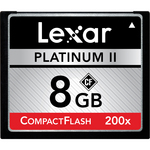
an 8 GB CF Ultra 200x card sells for Rs 2000. So, if one did not reuse cards, and shot to about 200 cards or 'exposed' 80 hours of video on a Canon 5D/7D, one would spend Rs 4 lakhs.

Rs 34 lakhs for 25 hrs of film, or
Rs 7.5 lakhs for 50 hrs of HD tape, or 
Rs 4 lakhs for 80 hrs of Canon HD video. 


I think its clear CF cards, as a medium, are way cheaper than HD tape or film. And if one does not erase and use the costlier film or HD tape, what reason is there to erase CF cards that cost 1/30th what film costs.

Come to think of it, if you shot with a Canon exactly like film at a shoot ratio of 1:10, you would need only about 63 cards or spend about Rs 1.25 lakhs on 'rawstock'.

So, I don't get the reason for reusing CF cards. Reuse them after the film is released and you've consolidated all your media, but please, stop shooting an entire feature with 2 CF cards erased and used 30-100 times over.

Monday, 7 March 2011

Autodesk 2012


Last week, Autodesk released new versions of their Digital Entertainment Creation software line. These are now suffixed 2012, to mean the year 2012. But the software will be available in 2011.

New software released are
in the Animation Solutions line-up, 3ds Max 2012, Softimage 2012, Mudbox 2012, Maya 2012, MotionBuilder 2012 and
in the Creative Finishing Solutions, Flame 2012, Flare 2012, Smoke Mac OSX 2012, Flame Premium 2012, and Lustre 2012

Significantly, all of Autodesk's Creative Finishing Solutions and Animation Solutions software are receiving a refresh at the same time. This is probably the first time this has happened so maybe they have managed to integrate all these groups to work together.

Also significantly, there is no mention of Flint, Fire, or Inferno. So maybe, just maybe, we won't see any more refreshes of these software packages which formed part of IFFFS which ruled in the two decades past.

And, if you see the releases listed on the official Autodesk page linked below, you won't see any Smoke 2012, just Smoke for Mac OSX 2012. If that's true, you can no longer get a Smoke on Linux on its own. You have to get the Flame Premium suite which contains Smoke, Flame and Lustre.

I haven't studied the new features in great detail, primarily because I couldn't readily find a document that details this. But from a cursory study at other sites, it seems that for Smoke on Mac OSX, there are improvements in 3D capabilities.

There doesn't seem to be a specific Smoke 2012 hardware list. They still have the 2011 list on. The only video I/O card supported is still the Aja Kona 3. No support yet for Blackmagic cards. So maybe, there's some new hardware expected that will make this list. Something from Aja, or Blackmagic after all.

As for graphic cards, for Smoke 2011 not one out of Quadro 4000, Quadro FX4800, FX5600, and FX 4500 was completely certified in the 2011 list. The closest is Quadro FX5600 which is 'Supported although not officially Certified in our lab'.

Let's hope Smoke for Mac OSX has wider Autodesk blessed support for graphic cards on Mac OSX.

On the Autodesk online store page Smoke is still listed as Smoke 2011 available online for US$ 16,990 with subscription and US$ 14,995 without. Wonder if Smoke 2012 has a different pricing.

The official Autodesk page is here…
http://usa.autodesk.com/adsk/servlet/item?id=12410802&siteID=123112

There is an in-depth analysis over at FXGuide.com here…
http://www.fxguide.com/featured/autodesk-2012-software-releases/

Monday, 7 February 2011

Aja Ki Pro


Last Friday I was to attend and speak at a seminar on Aja, here in Mumbai. It was the start of a weekend, and traffic conditions in the Western suburbs were at an all time disarray. Some said there was a large procession of some kind. Anyway, I got stuck in bumper to bumper traffic, ran out of fuel, and eventually gave up trying to reach the venue.


But I had my piece prepared, so I promised the organizers, Genesis Forte, wo represent Aja in India, that I would post it in this blog. Here it is.


Among the most innovative products that Aja makes, is the Ki Pro and it's small sibling, the Ki Pro mini. These are video (and audio) recorders which take input as component, SDI, HD-SDI, or HDMI, along with embedded or unbalanced XLR audio. And record to hard disks or SxS or CF cards. The recorded material is an Apple ProRes Quicktime movie. And you can set up Ki Pro to record as ProRes Proxy, ProRes LT, ProRes, or ProResHQ.


ProRes is described later in this piece, below.


The source for the KiPro could be almost any camcorder that has an HD-SDI, or HDMI output. So basically the Ki Pro or Ki Pro mini let's you record at a quality higher than the camera's own compressed recording does.


Two prime new candidates for using the KiPro with, are the new Sony F3 or Panasonic AF 101. The combination of Sony F3 or Panasonic AF 101, with Ki Pro or Ki Pro mini can challenge the Arri Alexa on quality and price.


But this is not what I was going to focus on. This much is well known about the Ki Pro or Ki Pro mini. I had some alternate uses in mind for these recorders.


Low res video assist recorder


Many TV Commercial makers use the video assist to do a rough cut before the film gets processed and telecined.
In place of a video assist recorder, which is usually a DVD recorder, a DV or HDV recorder, both of which are cumbersome and linear. You can use a Ki Pro or Ki Pro mini, to record the assist video as ProRes proxy. Which is good enough quality. A 250 Gb HDD in the Ki Pro records over 11 hrs. And shots are one per clip, so capture before editing is quick and easy. 


Backup recorder


If you shoot with a Alexa, it records ProRes 4444. These files are large and hard to edit on slower machines. So you can attach a KiPro which can record ProRes HQ as a backup. Or ProRes Proxy for low res editing. 


And if you are recording as Arri logC, you can take a linear video out via HD-SDI and plug that into the KiPro. So you're ready to edit with smaller files which are linear and not low contrast ones that the Alexa records.


I know I know, log files need to be colour corrected before they can be used, but try telling that to a client who's in a hurry.


The last two uses I mentioned, would need some care to ensure that time code is kept the same on the main device and the Ki Pro or Ki Pro mini.


Green screen recorder


You may have shot the rest of your film on a small EX1 or EX3 or even Canon 5D or 7D - in XDCamEx, AVCHD, DVCProHD, or HDV, But if your film has green or blue screen, (chroma key) you may run into problems with recording that on those cameras. That's more to do with the recording in these cameras, not the cameras themselves.


Chroma Key shots need clean edges for keying. Compression in those cameras makes the edge around objects hard to key. Recording as full 4:2:2 10bit on the KiPro or KiPro mini can give you cleaner keys in post. So better to shoot chroma shots as ProRes or ProResHQ in a KiPro for better keying. 
Even the keying needed for by a Colourist for secondary colour correction works better if the media is ProRes or ProResHQ.


Main recorder for HD television shows


Over the next few weeks or months at most, leading TV channels in India will transition to HD. In general, all channels will no longer require producers to submit tapes for HD programming. Some will, instead, accept finished shows and rushes as files - ProRes HQ.


So it may even be a good idea to use the Ki Pro as your main recorder even if you shoot P2, AVC-Intra, or HDCam. Editing is instantaneous, the editing machine doesn't need any capture card, and best of all, handing over of all rushes is easy.


Telecine recorder


When you need to telecine film to video in a format that's ready for delivery, like Apple ProRes that many TV channels need, the Ki Pro is a natural choice. You can even connect audio from a sound follower and embed it, so you can even get Dolby 5.1 audio along with video, all synced and ready to go.


Ki Pro


Can be carried like a recorder or portable VTR, or attached to a special exo skeleton and placed under a camera on a tripod. It has a removable 250 or 500 Gb Hard disk, or a SxS card slot to record video on.


Ki Pro Mini


Attached behind a camera like JVC, Sony, P2 etc, and records higher quality that the camera can. especially for the new Sony F3 or Panasonic AF101 that shoot XDCam and AVCHD respectively.


For those who don't yet know ProRes is a format invented by Apple for use as a high quality 10bit movie format but providing nearly uncompressed quality. Disk space and disk speed requirements are modest and feasible with ProRes. There are 5 variants yielding differing levels of quality while taking up different amounts of disk space.


ProRes is 10-bit, many other codecs are 8-bit.


Data rates for various variants of ProRes
ProRes 4444 - 330 Mbps 37.1 MB/sec at 1080p24
ProRes HQ - 220 Mbps 24.7 MB/sec at 1080p24
ProRes - 145 Mbps 16.5 MB/sec at 1080p24
ProRes LT - 110 Mbps 11.5 MB/sec at 1080p24
ProRes Proxy - 45 Mbps 5.1 MB/sec at 1080p24


Capacity of hard disks and cards.


Ki Pro records to hard disk or SxS card.


250 Gb hard disk 
- 692 mins of ProRes Proxy - 11 hrs 32 min
- 318 mins of ProRes LT - 5 hrs 18 min
- 225 mins of ProRes - 3 hrs 45 min
- 150 mins of ProRes HQ


500 Gb hard disk 
- 1384 mins of ProRes Proxy - 23 hrs
- 637 mins of ProRes LT - 10 hrs 37 mins
- 450 mins of ProRes - 7 hrs 30 mins
- 300 mins of ProRes HQ - 5 hrs


16 Gb SxS card
- 44 mins of ProRes Proxy
- 20 mins of ProRes LT
- 14 mins of ProRes 
- 9 mins of ProRes HQ


32 Gb SxS card 
- 88 mins of ProRes Proxy
- 40 mins of ProRes LT
- 28 mins of ProRes 
- 19 mins of ProRes HQ


Ki Pro mini shoots to CF card


8 Gb CF card 
- 22 mins of ProRes Proxy
- 10 mins of ProRes LT
- 7 mins of ProRes 
- 4 mins of ProRes HQ


16 Gb CF card 
- 44 mins of ProRes Proxy
- 20 mins of ProRes LT
- 14 mins of ProRes 
- 9 mins of ProRes HQ


32 Gb CF card 
- 88 mins of ProRes Proxy
- 40 mins of ProRes LT
- 28 mins of ProRes 
- 19 mins of ProRes HQ

Friday, 21 January 2011

FCP problems with illegal FCP


This is what a legal copy of Final Cut Studio 3 or FCP 7 looks like. Have one?

Of late I've been shown many instances of FCP projects that don't link back to digital files, dropped frames even with fast disks, media files present but showing as offline, and the dreaded 'General Error'. In extreme cases, projects get corrupt too. 

This seems to be happening a bit more often in recent times than previously. And, most important of all, I have not been able to duplicate or recreate these issues any any of my systems. At home, or systems I've installed by myself at friend's edit suites.

So what's going on? Is FCP 7 to blame? I think not.

One observation that I made with every reported case is that these issues happen in systems that do not have a valid FCP license. Meaning their FCP is cracked, not paid for, completely illegal

Some FCP users are not even aware that FCP had to be paid for. I found this out when I asked to see the box containing the original software disks. Why, even a large post house on Mumbai's upmarket Linking Road had many FCP systems without a license. Come to think of it, even TV show producers and possibly TV channels use FCP without licenses.

In another post house at Bandra I studied 5 systems and tried to recreate one particular issue with FCP 7. I could not. The systems functioned flawlessly. Users there often could not even remember the last time their systems last crashed or hung. Reason? All 5 systems had licenses which were not only valid, but registered over the 'net with Apple.

So my surmise. 
If you have paid for and purchased Final Cut Studio ver. 3. And you have registered your license on the Internet with Apple. You have nothing to fear. Your system will work without a hitch. And not exhibit any of these issues. 

If, however, you have 'borrowed' FCP, and not registered it, or have otherwise cracked it, then beware. Apart from being illegal, this is a defective method of operating FCP. And it will catch up with you somewhere, sometime.

But it still doesn't add up. So what if its 'cracked FCP', it still has to work right? 

Well, not quite. I think some person somewhere made a copy of the original FCP disks on to a hard drive. This copy, somehow got corrupted while being copied from disk to disk. And these corrupted copies are with some persons somewhere in Mumbai. And these defective FCPs are doing the rounds. Being used to install FCP over and over again.

Conclusion.

If you are an FCP system user and don't have a box with the original software and DVDs, please go out an buy one. It costs under Rs 50,000 and is worth every Rupee. Many many individual editors and small production houses in India have bought one. In fact I dare say, more people in India have actually bought FCP than have not. Be one of the good guys.

And no matter what your dealer, reseller or friends tell you, there is no FCP demo, no FCP evaluation, no 30-day trial. You pay money, you get a copy, you use it. That's how it works.

Even if the system that's being used to edit your films is borrowed, or hired, ask to see the license. And have it registered over the internet in your presence. And you will see for yourself, whatever FCP problems you had will simply go away.

Installing software without a license, is software piracy. Pirating software and pirated software are completely illegal. 
Sometimes pirated software is defective as well.

Wednesday, 22 December 2010

Arri Alexa Avid workflow

I keep getting asked about the workflow for editing with Arri Alexa media. Here, people mostly refer to the Apple ProRes 4444 Quicktime movies that the Alexa shoots. In India, as far as I know, we don't (yet) have an Alexa equipped with a Arri RAW recorder, hence ProRes 4444 is, for the moment, Arri Alexa media.


Most people have queries about editing Alexa media on an Avid Media Composer. Particularly Media Composer v 5 which can 'soft import' files without creating Avid MXF or OMF media, just like how FCP imports media.
Older versions compulsorily import media so that's another story.


FCP can easily edit the native files. Or you can batch convert to ProRes LT or ProRes Proxy to save space. 


So, as I began putting down points, I turned to the 'net to check if anyone had reported issues in forums. There were some issues, but these will go away with more work with Alexa and as software improves. So no point taking them up at the present.


While reading up, I came across Oliver Peters very informative blog Digitalfilms. This outlines the process in detail with pictures.


Here is the link
http://digitalfilms.wordpress.com/category/arri-alexa/


You need to try out his procedure first hand on a Avid Media Composer v 5 system to understand the simplicity and elegance of its working. 


Also, if you're working on an Avid Media Composer on Windows, then maybe you need to get the Apple ProRes decoder for Windows.
http://support.apple.com/downloads/Apple_ProRes_QuickTime_Decoder_1_0_for_Windows
That's in case your QT Player on Windows can't open Alexa files. If it can, then don't bother with the plug-in.


Peters also has an explanation for working with Arri Alexa files in FCP. And a link to Nick Shaw's plug-in to make a quick and rough log to lin conversion of Arri LogC Quicktimes. This conversion is for preview purposes only. 


Unfortunately, Apple Color does not do log to lin for QT, only for DPX, else that would have been a great workflow too. 
But if you fiddle with the curves in the Primary room (of Apple Color) as well as, try auto balance you can get a neat looking linear image. You can even get carried away and believe you can grade your media yourself. In that case, get yourself a Tangent Wave or Euphonix grading panel, and a good experienced colourist, and who knows, you can do DI at home.


More on Alexa adventures as I lay my hand on some stuff to do myself.